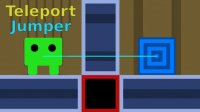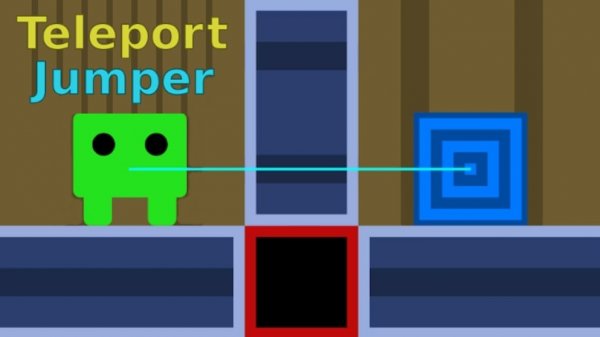
Teleport Jumper stands out with its clever level design and simple teleport mechanic. Each puzzle requires thoughtful planning, and the difficulty ramps up nicely. The game is easy to pick up but offers enough depth to keep you engaged. It is a great option for puzzle fans looking for a fresh challenge, and the short levels make it ideal for replaying to improve your strategy. ddddddd
Teleport Jumper is a puzzle platformer game developed by Robert Alvarez, known for creating engaging logic games like Chessformer and Math Push. The core concept revolves around a character who can perform short-range teleports to bypass obstacles and navigate through levels. Each stage presents a unique puzzle where you must plan your movements and use the teleport ability strategically to reach the exit. The game combines traditional platforming elements with spatial reasoning, offering a fresh experience for puzzle enthusiasts. With simple controls and increasingly complex challenges, Teleport Jumper is suitable for players of all ages who enjoy brain-teasing gameplay.
To play Teleport Jumper, use the WASD or arrow keys to move your character around the level. Press X, J, or Space to activate the short-range teleport ability, which allows you to pass through obstacles and reach new areas. If you need to cancel a teleport, use C or K. To reset the current level, press R. Use Esc or B to go back to the menu. Each level requires careful planning and timing to successfully teleport past barriers and reach the exit.
Clever puzzles that require strategic thinking. Short-range teleport mechanics add a unique twist to platforming. Family-friendly design suitable for all ages. Simple controls that are easy to learn. Increasing difficulty that keeps gameplay engaging.
Teleport Jumper offers a satisfying blend of puzzle-solving and platforming. The teleport mechanic is intuitive yet challenging, making each level a rewarding experience. It is a great choice for short gaming sessions or longer play.
• OS: Windows 10+, macOS 11+, iOS 14+, Android 10+ • Browsers: Chrome 100+, Safari 15+, Edge 100+, Firefox 100+ • Not compatible with Internet Explorer Tested on real devices – works as expected
Leave a Comment

We use cookies to enhance your experience on our platform. By clicking "Accept", you consent to our use of cookies as described in our Privacy Policy. You can manage your preferences or decline cookies at any time.